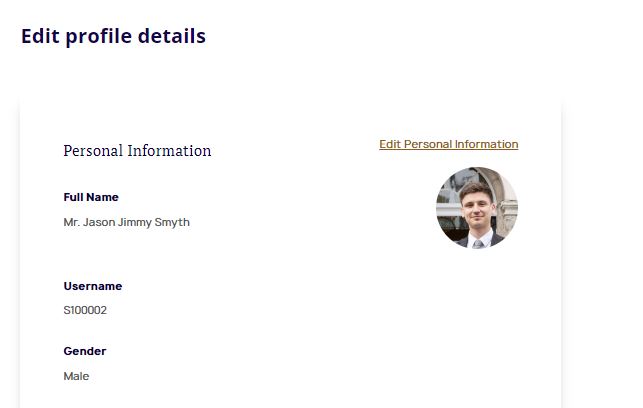
For access to the entire Law Society campus, you must have a valid Law Society student card. See step-by-step instructions to download yours below.
Uploading your picture
Before downloading your student card, you will need to upload a picture of yourself to the site. You can do this in 'My Profile'
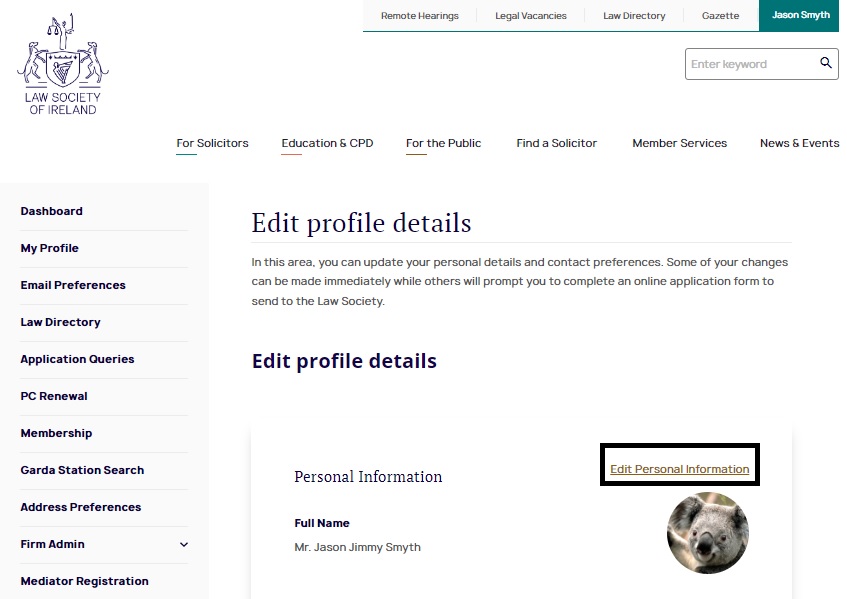
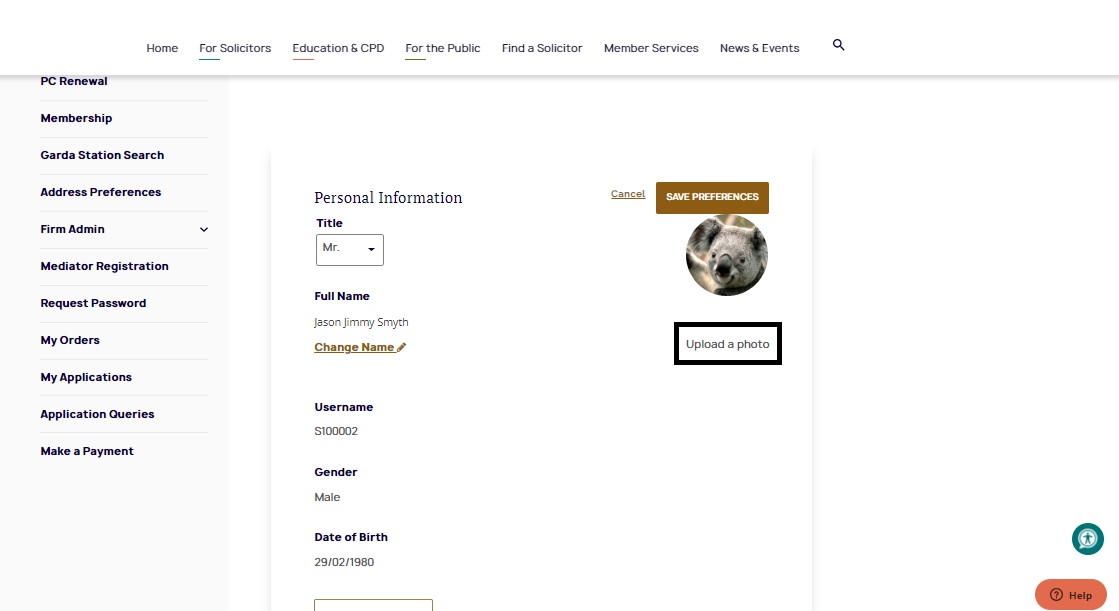
Select 'Edit Personal Information' and then 'Upload Photo'
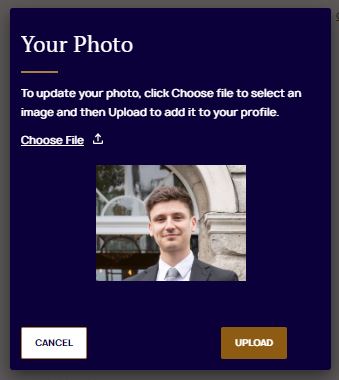
Choose a file of up to 4mb in size and click 'Upload'
Congratulations! Your photo has been saved