Resources
Reference materials

Regulation
Professional services
Accessing your digital student card
See how to upload your photo and download your student card on apple or other devices.
Published:
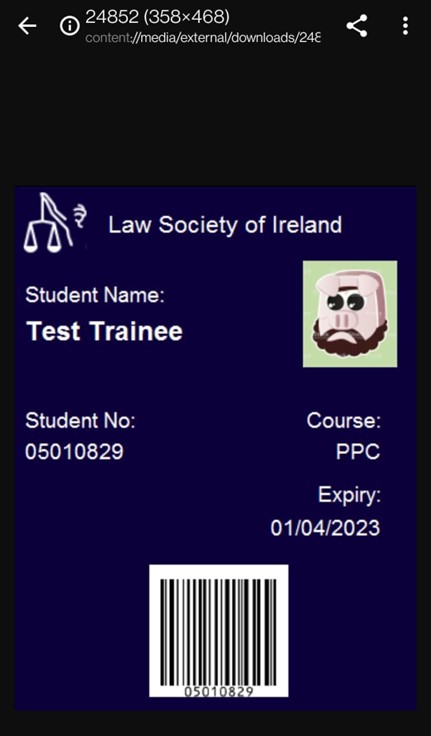
For access to the entire Law Society campus, you must have a valid Law Society student card. See step-by-step instructions to download yours below.
Uploading your picture
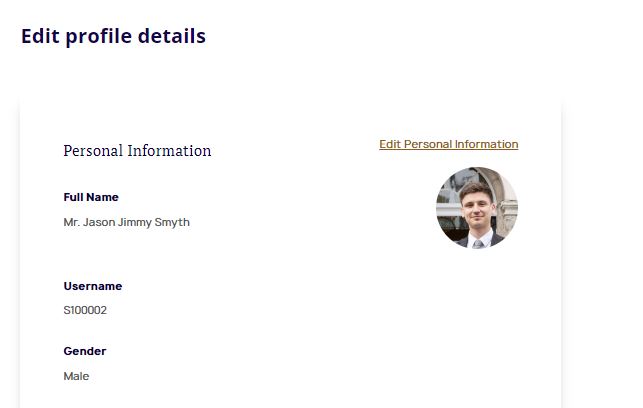
Before downloading your student card, you will need to upload a picture of yourself to the site. You can do this in 'My Profile'
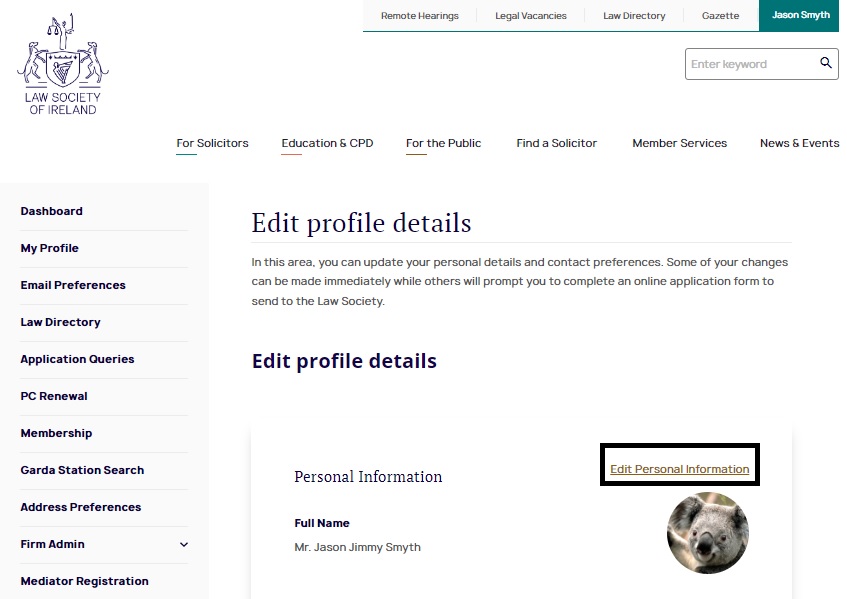
Select 'Edit Personal Information' and then 'Upload Photo'
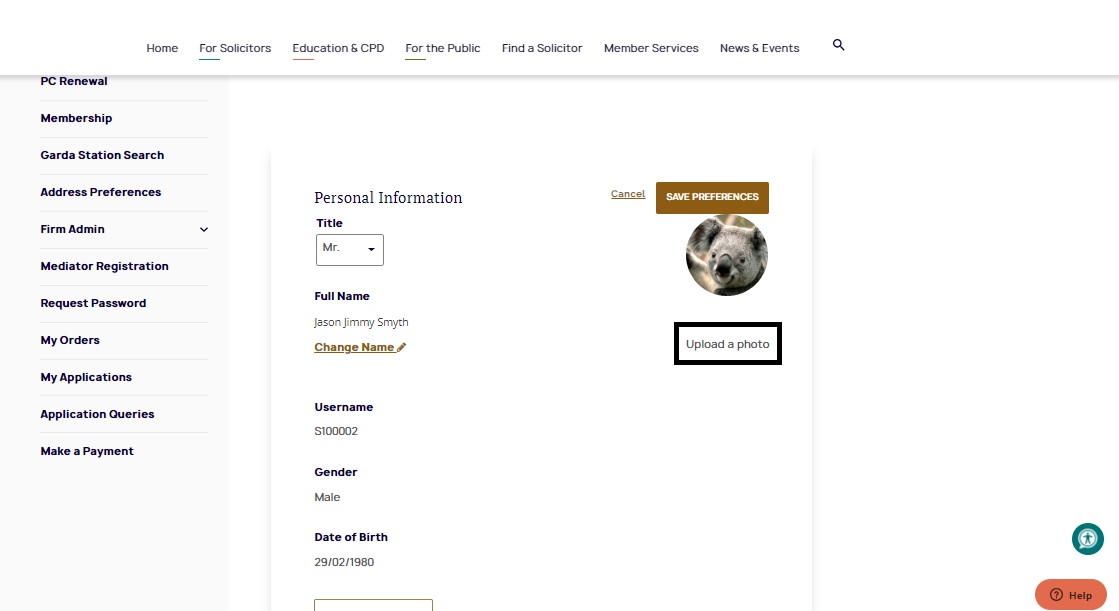
Choose a file of up to 4mb in size and click 'Upload'
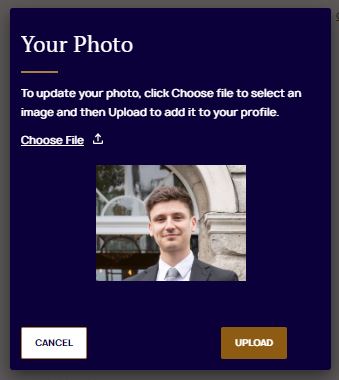
Congratulations! Your photo has been saved
Downloading your card
See details of how to download your card when the course commences below.
- Log in with your student ID (number@propc.ie), and under ‘My Dashboard’ select ‘Student card’.
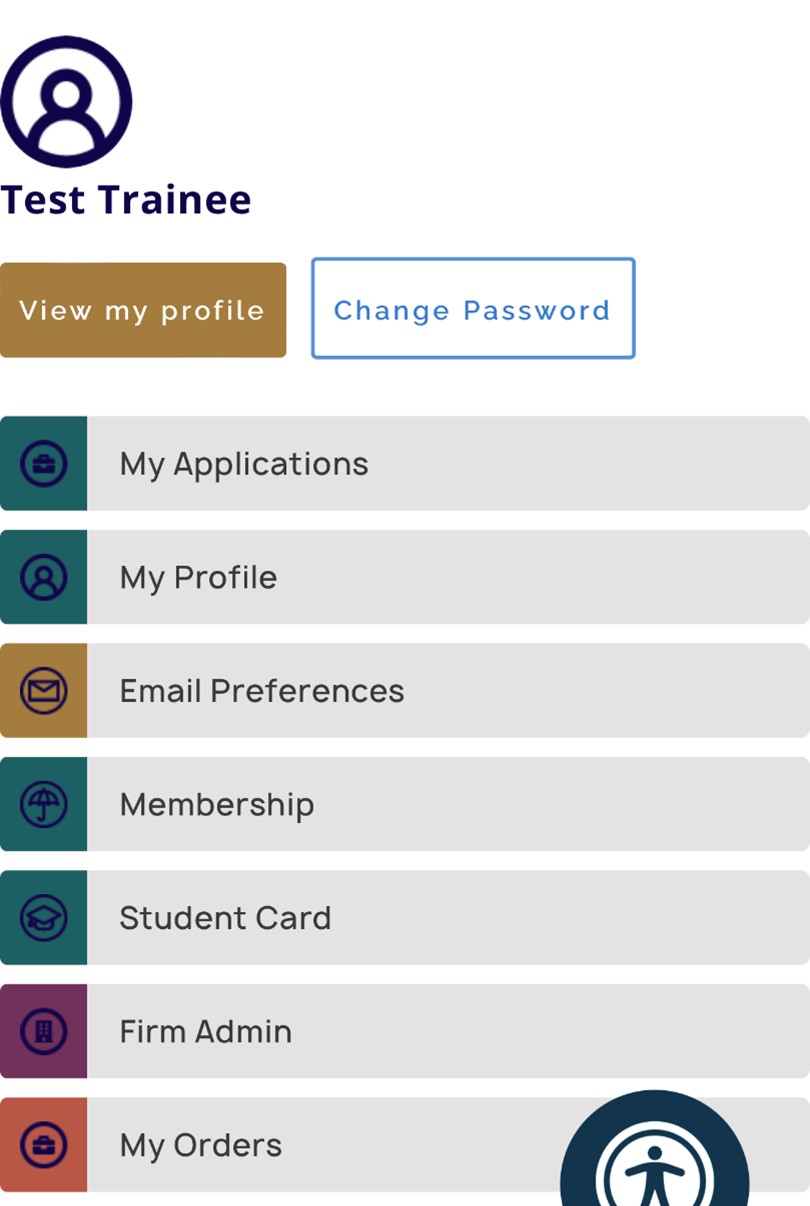
- Scroll to the bottom of the student card page and you will see a preview of your student card with a button to add your student card to the apple wallet.
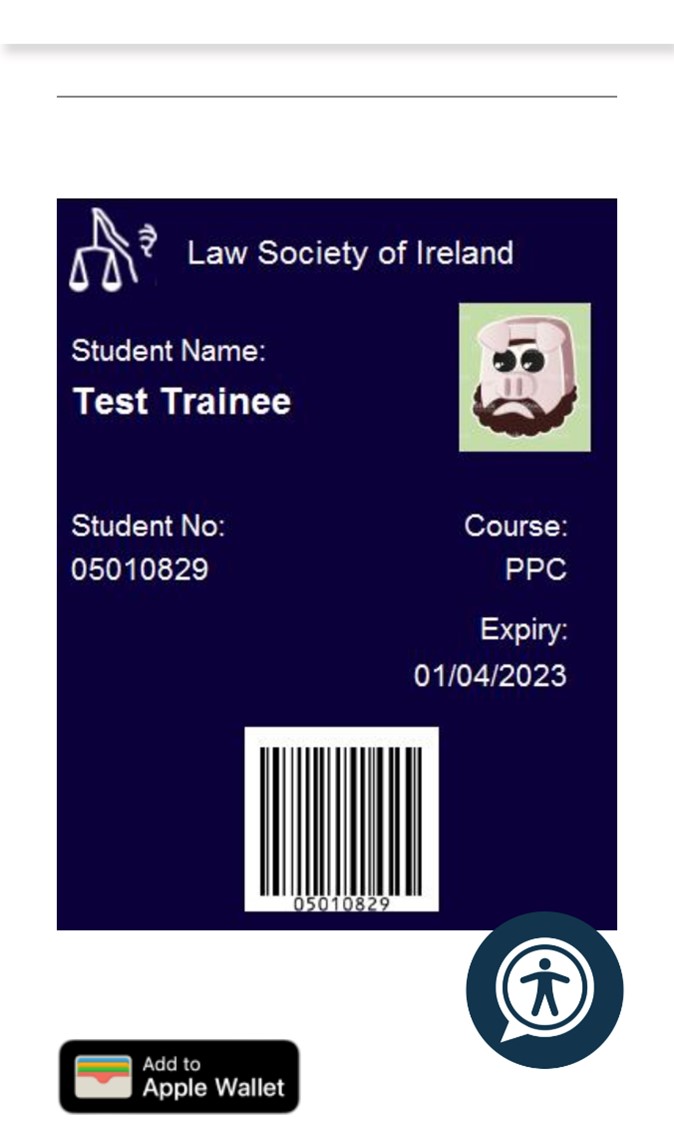
- Click the button to add it to the apple wallet and you will be presented with the student card and an option to Add.
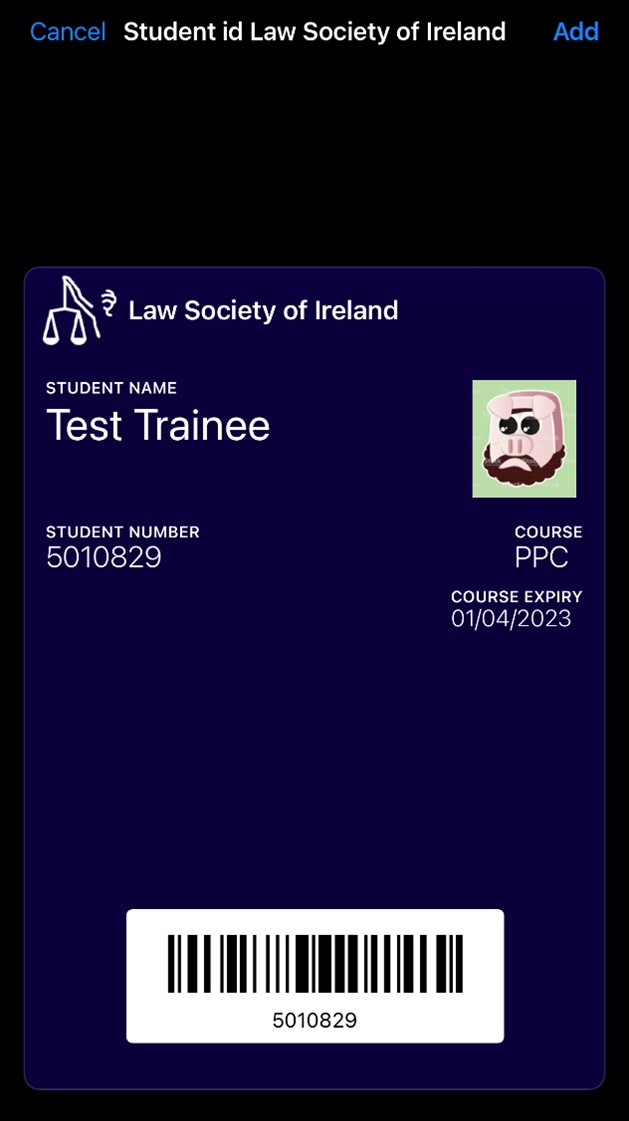
- Tap Add and check your apple wallet app.
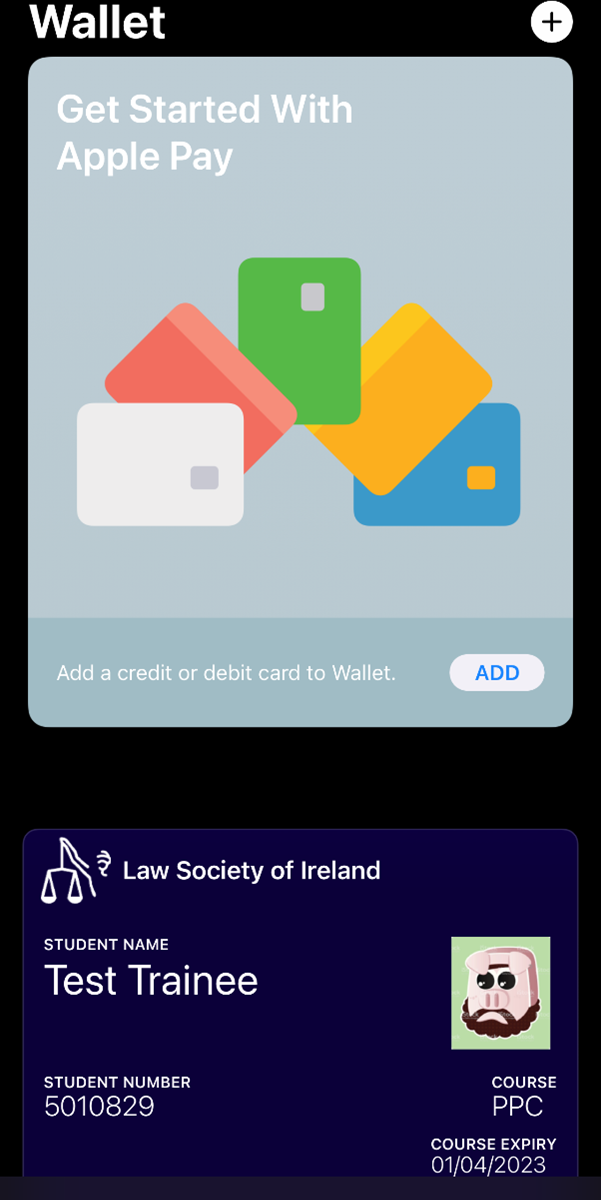
- Log in with your student ID (number@propc.ie), and under ‘My Dashboard’ tap ‘Student card’.
- Scroll to the bottom of the student card page and you will see a preview of your student card with a button to download your student card.
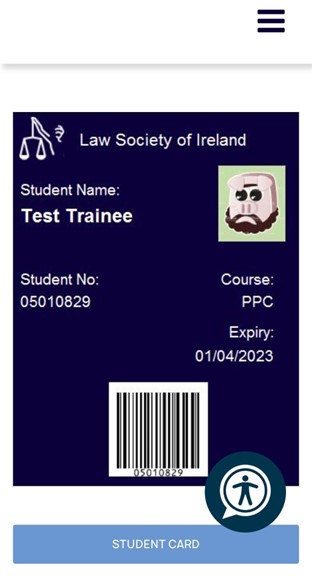
- Tap or click the Student card button and the system will start downloading the student card.
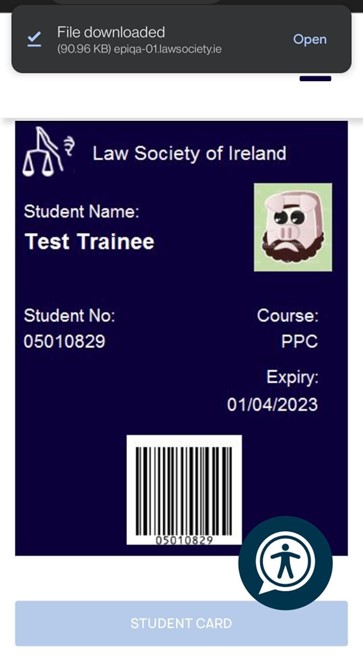
- Open the Download folder and you will find your student card there.